Ford Taurus X Key Fob Programming
Updated 2026 2008–2009 2 model years
Programming steps, the battery it takes, and the exact replacement fob for every Ford Taurus X model year we cover (2008–2009). Find your year in the table, then jump to the details for that generation.
Every Ford Taurus X model year
| Year | Programming | Key fob | Battery |
|---|---|---|---|
| 2009 | Transponder Key, Remote Head Key, Remote, Proximity Key · 3/4/5/6-button | CR2032 battery on Amazon | |
| 2008 | Transponder Key, Remote Head Key · 3/4/5-button | CR2032 battery on Amazon |
2009 Ford Taurus X
Remote / key fob programming
Programming a remote on this Ford resets every remote for the vehicle, so you reprogram them all together. There are two common methods — try Method A first, and if it doesn't work use Method B. Do not press the brake pedal at any point.
Full steps: Ford Remote Programming: Reset and Relearn Every Remote
Key programming
You can add a new key to this Ford yourself if you already have two keys that start the engine. The new key must be cut first, and it has to be a genuine key — a cloned hardware-store key won't work.
Replacement key fobs
Find your key type below, then match the FCC ID printed on the back of your existing fob — or, for a plain transponder key, the blank code — to be sure of the right part.
Proximity Key
Stays in your pocket — the car unlocks and starts without inserting a key.
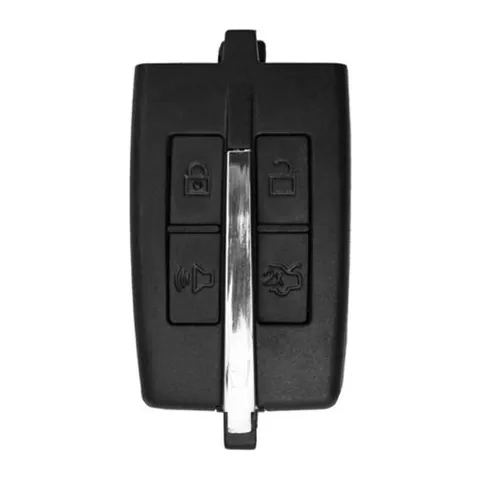
4-button Proximity Key
Find on Amazon- FCC ID
- M3N5WY8406, PEPS
- OE part #
- 164-R7032, 164-R7034, 5912477, 5914118, 5914119, 7012479
- Frequency
- 315 MHz
- Chip
- PHILIPS ID 46
Remote Head Key
One piece: a cut metal blade with the lock/unlock buttons built into the head.
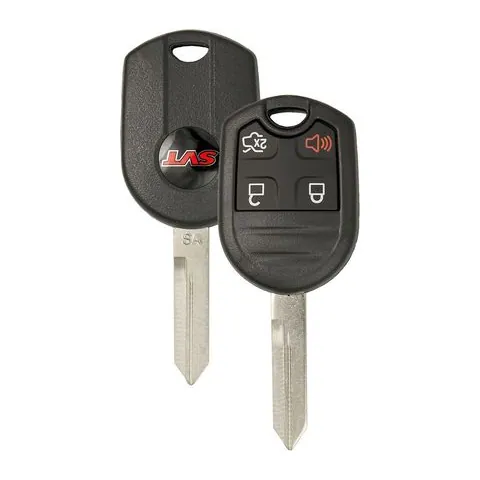
3/4/5-button Remote Head Key
Find on Amazon- FCC ID
- CWTWB1U212, CWTWB1U322, CWTWB1U331, CWTWB1U345, CWTWB1U722, CWTWB1U793, CWTWBIU322, CWTWBIU331, CWTWBIU345, GQ43VT11T, OUC6000022, OUCD6000022
- OE part #
- 15K60153309140, 15K601535093529138, 164-R7003, 164-R7004, 164-R7005, 164-R7006 +80 more
- Frequency
- 315 MHz
- Chip
- TEXAS ID 4D 63 80 BIT
Remote
A separate key fob that only handles locking and unlocking.
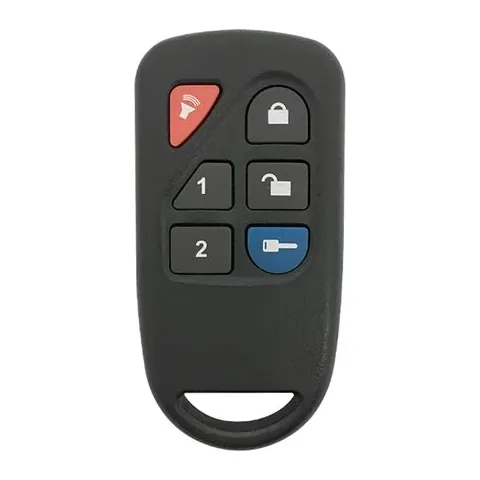
6-button Remote
Find on Amazon- FCC ID
- GOH-PCGEN2
- OE part #
- 8L3D-15K601-AA
- Frequency
- 433 MHz
Transponder Key
5 versionsA cut metal key with a chip in the head. No buttons.
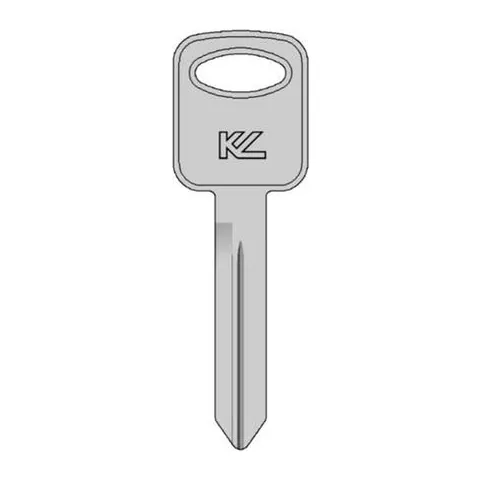
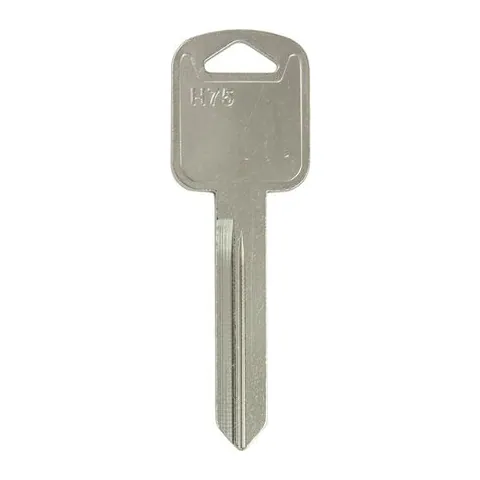
Transponder Key
Find on Amazon- Key blank
- BH75
- OE part #
- BH75
Transponder Key
Find on Amazon- Key blank
- FO25
- OE part #
- 11196FD
Transponder Key
Find on Amazon- Key blank
- AF00007290
Transponder Key
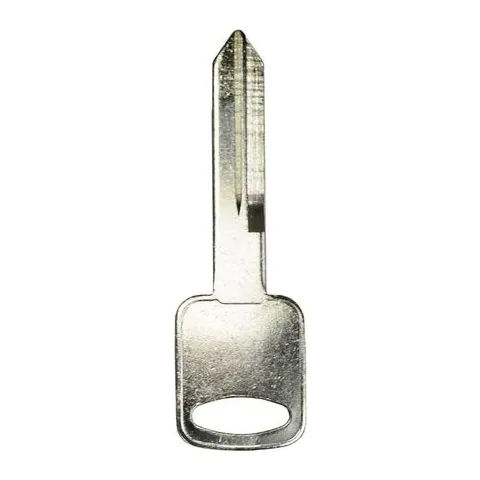
Find on Amazon- Key blank
- FO-15DE
- OE part #
- JMA-H75
Transponder Key
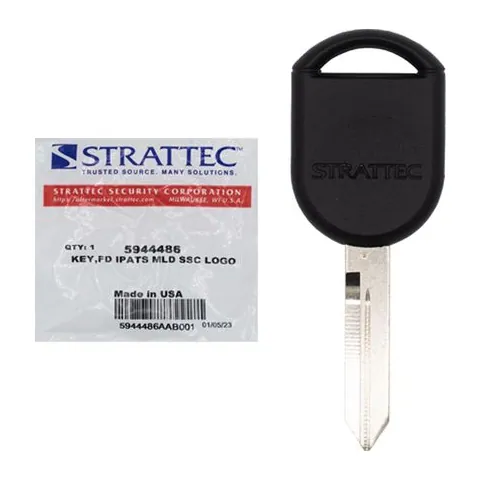
Find on Amazon- Key blank
- H92PT
- OE part #
- 5944375, 5944486, H92-PT, H92PT
- Chip
- 4D-63 80-BIT
Photos show the OEM part for each number listed. Aftermarket replacements sold online are often slightly different in appearance — the FCC ID, not the shape, is what determines whether a fob will work with your car.
2008 Ford Taurus X
Remote / key fob programming
Programming a remote on this Ford resets every remote for the vehicle, so you reprogram them all together. There are two common methods — try Method A first, and if it doesn't work use Method B. Do not press the brake pedal at any point.
Full steps: Ford Remote Programming: Reset and Relearn Every Remote
Key programming
You can add a new key to this Ford yourself if you already have two keys that start the engine. The new key must be cut first, and it has to be a genuine key — a cloned hardware-store key won't work.
Replacement key fobs
Find your key type below, then match the FCC ID printed on the back of your existing fob — or, for a plain transponder key, the blank code — to be sure of the right part.
Remote Head Key
One piece: a cut metal blade with the lock/unlock buttons built into the head.
3/4/5-button Remote Head Key
Find on Amazon- FCC ID
- CWTWB1U212, CWTWB1U322, CWTWB1U331, CWTWB1U345, CWTWB1U722, CWTWB1U793, CWTWBIU322, CWTWBIU331, CWTWBIU345, GQ43VT11T, OUC6000022, OUCD6000022
- OE part #
- 15K60153309140, 15K601535093529138, 164-R7003, 164-R7004, 164-R7005, 164-R7006 +81 more
- Frequency
- 315 MHz
- Chip
- TEXAS ID 4D 63 80 BIT
Transponder Key
5 versionsA cut metal key with a chip in the head. No buttons.
Transponder Key
Find on Amazon- Key blank
- BH75
- OE part #
- BH75
Transponder Key
Find on Amazon- Key blank
- FO25
- OE part #
- 11196FD
Transponder Key
Find on Amazon- Key blank
- AF00007290
Transponder Key
Find on Amazon- Key blank
- FO-15DE
- OE part #
- JMA-H75
Transponder Key
Find on Amazon- Key blank
- H92PT
- OE part #
- 5944375, 5944486, H92-PT, H92PT
- Chip
- 4D-63 80-BIT
Photos show the OEM part for each number listed. Aftermarket replacements sold online are often slightly different in appearance — the FCC ID, not the shape, is what determines whether a fob will work with your car.
Ford Taurus X key fob battery
Your Ford Taurus X key fob uses a CR2032 3V lithium coin cell. A fresh one typically lasts 3–5 years.
Buy Energizer CR2032 Lithium Coin Batteries (4-pack) on AmazonHow to replace the battery
- 1 Look for a small notch or screw on the side of the fob where the key blade meets the buttons.
- 2 Pry the housing apart with a coin or small flathead (or remove the screw).
- 3 Pop out the old coin cell, noting its orientation.
- 4 Insert the new battery the same way up, then snap the case shut.
- 5 Test the buttons — if they work, you're done.
Battery tips
- Use a fresh, name-brand 3V lithium cell — bargain cells drain quickly.
- Try not to touch both faces of the new battery; skin oils shorten its life.
- If the buttons still don't respond after a new battery, the remote may need re-syncing or programming.
We may earn a commission on qualifying purchases made through links on this page, at no extra cost to you. It never affects which product we recommend. Learn more.
Rather hire a pro?
See what it actually costs, broken out by dealer, locksmith, and DIY: